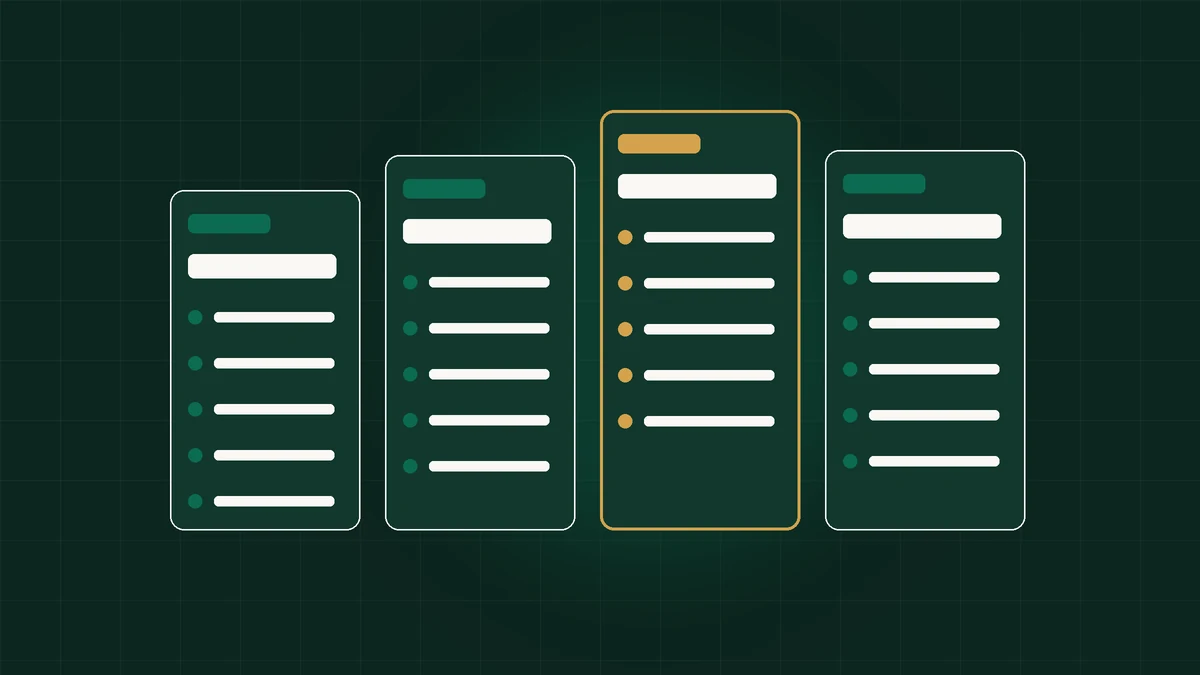
Normal browsers like Chrome, Safari, Edge, and Brave—even inside Incognito mode or separate Chrome User Profiles—expose identical underlying physical hardware signatures (Canvas, WebGL GPU, AudioContext, system fonts, WebRTC, and home IP) across every account tab, enabling platforms to cross-link sessions instantly. Antidetect browsers like Octo Browser (€10/mo Lite upward) generate independent C++ Chromium environments backed by dedicated per-profile proxies.
Why New Business Builders Assume Normal Browsers Keep Client Accounts Separate
Practically every agency owner, multi-store Amazon founder, and growth freelancer starts identically: installing regular Google Chrome or Apple Safari cleanly onto their laptop, clicking `+ Add` inside Chrome's native profile menu to open 'Work Profile 1', 'Client Account 2', and 'Personal Profile 3', or hitting `Ctrl+Shift+N` confidently assuming Private Incognito sessions operate invisibly.
On simple 2010 websites checking solely local login cookies, separating Chrome tabs truly worked! In 2026 commercial ecosystems ruled by Cloudflare, DataDome, Google Ads Risk, Meta Business Integrity, and Amazon Section-3 cross-account enforcement, ordinary browsers behave completely transparently like clear glass windows—transmitting an identical mathematical hardware fingerprint across all open profiles continuously.
Comparing ordinary mainstream browsers (Chrome, Safari, Firefox Containers, Brave, and Tor) structurally against dedicated anti-detect engines like Octo Browser reveals instantaneously *where* standard privacy tools protect daily personal convenience versus where they inevitably crash revenue operations.
- Normal browsers are engineered for single-user everyday consumer convenience—never multi-identity commercial compartmentalization.
- Incognito and Private modes discard local session traces purely after exit; while open, tracking hardware parity stays 100% exposed.
- Built-in Chrome multi-user menus partition folders on disk while emitting identical silicon GPU, Canvas, Font, and WAN IP hashes.
- Privacy browsers like Brave or Tor solve totally distinct threat models that frequently trigger commercial bot challenges on ad/e-com platforms.
2026 Master Feature Matrix: Normal Browsers vs. Privacy Browsers vs. Octo Browser
Examining every individual tracking vector systematically eliminates speculative guesswork forever. Review precisely what ordinary Chrome, Incognito Windows, Firefox Multi-Account Containers, Brave, and **Octo Browser** actually isolate when querying Pixelscan or connecting live commercial dashboards.
| Capability / Isolation Vector | Regular Chrome & Profiles | Chrome Incognito | Brave / Firefox Containers | Octo Browser (Octium Core) |
|---|---|---|---|---|
| Separated Cookie / LocalStorage Disk | Yes (Per local Chrome User) | Deleted post-window close | Yes (Brave Profile / FF Tabs) | Yes (AES-encrypted cloud containers) |
| Canvas & WebGL Hardware Isolation | NO (Identical host silicon) | NO (Identical host silicon) | Blocked/Random (Outlier risk!) | Yes (Consistent C++ real-device noise) |
| AudioContext & Font List Masking | NO (Identical host OS fonts) | NO (Identical host OS fonts) | Limited farbling on single host | Yes (OS-aligned native kernel presets) |
| Built-In Per-Profile Proxy Routing | NO (Uses OS host IP everywhere) | NO (Uses OS host IP everywhere) | Single VPN / Manual extension leak | Yes (Socket HTTP/SOCKS5/SSH + Check Proxy) |
| Auto Timezone & Geo Alignment | NO (Reads OS system clock) | NO (Reads OS system clock) | NO (Clashes with VPN countries) | Yes (Auto synced seamlessly to bound IP) |
| Encrypted Multi-Seat Team Sync | Google Sync only (Huge risk) | None | Consumer account sync only | Yes (Team RBAC + Per-Profile Passwords) |
| Headless Playwright / CDP API Stealth | Blocked cleanly (`webdriver` flags) | Blocked cleanly | Not built for stealth APIs | Yes (50–200 RPM API + Cookie Robot) |
| Monthly Software Cost | Free | Free | Free | From €10 Lite / €29 Starter / €79 Base |
Ready to Deploy This Setup in Octo Browser?
Recommended tier: Lite (€10/mo). Save up to 30% on annual billing and lock in hardware-isolated profiles in under 5 minutes.
Why Chrome's Built-In '+ Add Profile' Feature Links Commercial Accounts Effortlessly
Chrome's native user-profile switcher deserves clearer architectural debunking than almost any other UX trap in online business. Opening Chrome Account A (`red theme`) beside Account B (`blue theme`) visibly hides separate Gmail logins, bookmarks, and extensions—lulling founders smoothly into thinking both browsers run totally unlinked.
Yet open `browserleaks.com/canvas` and `browserleaks.com/webgl` inside Red Chrome alongside Blue Chrome simultaneously right now and watch identically matching hexadecimal hash digests flash onscreen word-for-word! Both tabs call the exact same Windows DirectWrite font rasterizer, read the identical RTX graphics card string, access the identical hardware microphone GUIDs, execute identical `AudioContext` DSP floats, and send outbound requests straight through your identical domestic broadband IPv4 address.
Even adding Chrome proxy switcher extensions fails cleanly: extensions cannot rewrite JA4 TLS handshakes, WebRTC STUN ICE leak pathways reliably across sessions, or GPU pixel shading inside C++ renderer processes—making native Chrome multi-profile management completely non-viable past casual non-commercial bookmarks.
- Open two totally distinct standard Chrome User Profiles side-by-side right now.
- Visit `browserleaks.com/canvas` and `pixelscan.net` inside both tabs cleanly.
- Notice identical Canvas signatures, identical WebGL GPU renderers, and identical public IP tying both accounts 100% together.
Chrome Incognito & Safari Private Browsing: Strictly Local Privacy, Zero Network/Site Stealth
Equally misunderstood across office spaces is Google Chrome's dark `Incognito` mask graphic. Despite marketing disclaimers clearly inside the New Incognito Tab explaining cleanly that *your employer, ISP, and websites you visit still observe activity*, casual users treat Incognito subconsciously as an invisibility cloak.
All Incognito truly executes is launching an ephemeral zero-retention local sandbox that wipes newly saved cookies and URL autocomplete history from *your own laptop disk* strictly when closing the final Incognito window! Meanwhile, across active minutes spent logged onto Stripe, Meta Business Manager, or airline ticketing engines, every single pixel, WebGPU hardware shader, font bounding box, and WAN IPv4 packet transmitted matches your everyday non-Incognito desktop identically.
Worse still for commercial trustworthiness: because Incognito resets accumulated benign history back to zero cleanly every launch, signing into sensitive business portals continuously out of fresh zero-cookie Incognito frames strips legitimate trust equity—forcing endless annoying CAPTCHAs and two-factor SMS checks!
Use Incognito solely when checking personal email briefly on a friend's laptop—never expect Incognito tabs to isolate multiple client ad accounts, stores, or tracking footprints!
Why Privacy Browsers (Brave, Firefox Focus, Tor) Break Down for Business Accounts
Privacy enthusiasts understandably point toward hardened consumer privacy engines like **Brave Browser (Aggressive Shields)**, **Firefox with `resistFingerprinting`**, or **Tor Browser** asking why businesses do not simply adopt free privacy tech instead of paid software like Octo Browser.
Examine the subtle philosophical chasm separating **consumer tracker-blocking** from **commercial multi-account trust**! Brave and Tor fight tracking by either **blocking/randomizing APIs** (producing random floating-point Canvas 'farbling' jitter on page load) OR **enforcing rigid anti-uniqueness homogeneity** (forging every single Tor user into identical `1000x800` gray-white desktop frames out of shared Tor exit nodes).
On commercial dashboards—Facebook Business Manager, Google Ads, Shopify Admin, TikTok Studio, Amazon Seller Central, and Wise Banking—looking aggressively randomized or arriving off globally shared Tor nodes acts identically to flashing giant red fraud alarms! Payment processors routinely ban Tor users cleanly on login, while randomizing farbling extensions trigger AI lie-detection flags on CreepJS/Cloudflare instantly. Octo Browser passes cleanly precisely because it presents **completely steady, authentic, distinct normal Chrome laptops** per container rather than noisy anonymized blockers.
- Tor exit nodes sit on instant financial/e-commerce blacklists blocking logins outright.
- Firefox `resistFingerprinting` alters subtle layout APIs creating noticeable broken dashboards & synthetic uniform entropy.
- Brave randomizes fingerprints inside one global shared identity rather than provisioning 100 clean independent persistent workspaces.
Workflow Mechanics: Speed, RAM Management, Cookie Robot & Proxy Binding
Beyond fingerprint isolation mechanics, workflow tooling separates consumer browsers starkly from enterprise operations decks. Try maintaining forty isolated Chrome shortcuts alongside messy Windows proxy switcher helpers and Excel cookie lists—your desktop crashes under clutter inside a week!
Octo Browser turns multi-account navigation into crisp structured workspace tooling engineered directly around real commercial needs: save verified SOCKS5/HTTP/SSH proxies permanently inside a centralized **Proxy Manager** featuring instant connectivity tests and one-click Mobile IP rotation triggers; clone verified Golden Master presets seamlessly across 3 to 1,200+ organized containers tagged neatly by brand/status; warm fresh cold profiles silently using **Cookie Robot** instead of losing human hours browsing news links; and share containers seamlessly across remote staff without touching plaintext logins.
NORMAL BROWSER + VPN HACK => Global IP conflict + Shared GPU/Canvas + Manual Cookie Wipes
OCTO BROWSER WORKSPACE     => Independent Per-Tab Socket Proxy + C++ Octium Kernel + AES Sync
Clear Boundary: When Normal Chrome Is Totally Fine vs. When Octo Becomes Mandatory
Do not misread technical comparisons into assuming ordinary Chrome or Safari loses all utility everywhere! For everyday single-identity consumer life—reading personal blogs, watching YouTube casually, managing one personal personal shopping cart, or running your sole company homepage—standard updated Chrome or Safari serves cleanly for $0 without added setup overhead.
Crossing cleanly into **Octo Browser (Lite €10/mo, Starter €29/mo, Base €79/mo, Team €169/mo)** becomes non-negotiable the instant your work touches **any** of five commercial situations: (1) Managing two or more ad manager entities, client agencies, or e-commerce stores (`Meta, Google, Amazon, Etsy, TikTok`); (2) Resolving exhausting `authuser` multi-Google collisions across retainers; (3) Delegating logins safely onto remote VAs or contractors across borders; (4) Protecting Web3 vaults completely isolated from risky dApps; or (5) Running Playwright/Puppeteer checks past Cloudflare & WAF blockers reliably.
- Keep regular Chrome/Safari strictly for 1 single casual consumer browsing identity ($0).
- Switch strictly onto Octo Lite (€10) or Starter (€29) the moment handling 2–30 client/store accounts or Web3 separation.
- Graduate cleanly to Base (€79) or Team (€169) when scaling 35–350+ containers, Playwright automation, or remote team RBAC.
Cost Economics: How 'Free' Normal Browsers Cost More Than €10–€79 Subscriptions
Stingy founders occasionally celebrate keeping browsers free at €0/month inside native Chrome tabs—right up until a single `related account` Amazon Seller hold freezes €15,000 of inventory receivables, or an agency client walks cleanly away after an account manager mistakenly shares conflicting screens or loses a warmed Business Manager!
Evaluating real opportunity cost puts pricing instantaneously in focus: Octo **Lite (€10/month)** protects three rock-solid clean silos for thirty Euro cents per day; **Starter (€29/month)** isolates ten to thirty client projects safely for under €3 monthly per client; **Base (€79/month, €55.30/mo annual eq.)** equips an entire solo arbitrage empire with 100 containers plus 50 RPM Local API automation for less than one single burned warmed ad account!
Verify exact savings relative to current stack spend interactively inside our 2026 Plan & ROI Estimator.
| Stack Option | Software Cost / Mo | Real Hidden Business Risk | Verdict |
|---|---|---|---|
| Normal Chrome Multi-Profile + VPN | €0 + €10 VPN | Linked Business Managers, Section-3 holds, contractor leaks | Dangerously expensive on first account freeze |
| Octo Lite (3 Profiles) | €10 / mo (€7 ann.) | Isolates Banking, Treasury & 2 core commercial profiles | Smart minimum protection floor |
| Octo Starter (10–30 Profiles) | €29 / mo (€20.30 ann.) | Clean boutique agency retainers & multi-store startup slots | Best boutique solo shield |
| Octo Base (100 Profiles + API) | €79 / mo (€55.30 ann.) | Full-scale media buying, automation scripts & backup warmups | Optimal pro cost/profile (~€0.55 ann.) |
Why Remote Teams Can Never Scale on Shared Chrome Profiles
Trying to scale beyond solo operations while relying purely upon normal desktop browsers forces awkward brittle workarounds: syncing employee personal laptops onto shared company Google profiles (leaking every bookmark & payment token locally!), purchasing slow remote TeamViewer boxes, or passing unencrypted passwords endlessly over chat threads.
Upgrading cleanly to **Octo Team (€169/mo, 350 profiles + 3 RBAC seats)** removes friction overnight without altering staff workflows painfully—staff simply open Octo, double-click client-tagged rows, verify green active proxies automatically inside familiar Chrome tab layouts, and collaborate securely across timezones while admins retain airtight seat revocation controls.
- Familiar native Chromium interface guarantees zero uncomfortable retraining curve for non-technical VA hires.
- Per-profile AES cloud sync updates active cookies reliably without shipping hardware or passwords across borders.
- Strict RBAC masking ensures team members work fast while never accessing vendor proxy credentials or exporting raw cookies.
Smooth Transition Guide: Moving Existing Accounts Off Normal Chrome Into Octo
Realizing your current multi-account portfolio sits tangled precariously inside regular Chrome tabs does not mean starting over from zero! Migrate active healthy logins gracefully over one clean weekend maintenance pass.
Start cleanly on **Octo Lite (€10)**, **Starter (€29)**, or **Base (€79)** directly matching account volume. Pre-configure matching OS presets inside Octo paired with clean dedicated Static Residential ISP proxies located directly inside your actual home/business metro region—avoiding jarring overnight cross-continent jumps! Export active JSON cookies cleanly from individual legacy Chrome sessions before retiring Chrome multi-profiles cleanly, import JSON cookies directly inside each matched Octo container, pause calmly two hours letting existing sessions settle, and resume operations safely inside isolated containers.
- Sign up cleanly on an Octo tier matching account volume + procure 1:1 clean city-matched Static ISP proxies.
- Match initial Octo profile OS strictly to your existing computer (`Windows` -> `Windows`, `macOS` -> `macOS`).
- Export working Chrome cookies per slot via temporary local tool, shut legacy Chrome profile down permanently, import inside Octo, and verify green Pixelscan stability.
True Economic Cost: Regular Chrome Shortcuts vs. Purpose-Built Container Isolation
Operators often balk at paying €10 to €79 monthly for dedicated container infrastructure when Chrome User Profiles appear nominally free. That surface comparison ignores the catastrophic asymmetric cost of a single triggered suspension chain: losing two aged seller stores, three warmed ad accounts, and frozen merchant payouts can wipe out five to ten years of Octo Browser subscription fees in a single afternoon.
Calculating genuine Return on Infrastructure makes the engineering choice unmistakable. Even Octo's entry Lite (€10/month, or €7/month billed annually) and Starter (€29/month) tiers protect orders of magnitude more monthly revenue than their cost while eliminating countless hours wasted juggling remote Windows VPS logins, VPN disconnects, and tangled incognito windows.
- Compare total downtime recovery cost (lost ad spend, frozen payouts, re-verification hours) rather than headline tool fees alone.
- Eliminate recurring laggy VPS rental costs by running dozens of native C++ Octium Chromium containers directly on local hardware.
- Protect team productivity with instant encrypted cloud sync so verified cookies follow operators securely across devices.
Moving Beyond Regular Chrome: Launch Your First Isolated Octo Workspace Today
Everyday consumer browsers deliver great single-user convenience—yet asking normal Chrome or Incognito tabs to isolate commercial agency portfolios, multi-brand e-commerce payouts, or performance advertising stacks guarantees eventual technical linkage.
Make the clean engineering switch confidently today: benchmark plan capacity inside our Plan & ROI Estimator, register your clean Octo workspace via Octo Browser official signup (starting cleanly from €10/mo Lite or €29/mo Starter), and dive straight into step-by-step onboarding via Complete Beginner's Octo Setup Guide and What Is an Antidetect Browser?.
Test isolating your top 3 business accounts cleanly out of regular Chrome today starting at just €10/mo Lite (€7/mo annual eq.) via Octo Browser official registration—keeping familiar Chrome tab UI speed paired with airtight C++ Octium separation.
Frequently Asked Questions
If I use a Chrome extension for separate proxies per tab plus Chrome User Profiles, is that basically an antidetect browser?
No! Chrome User Profiles share identical Canvas, WebGL GPU, AudioContext, system font lists, and JA4 TLS hashes across every window, while JS proxy extensions routinely suffer WebRTC STUN and DNS IP leaks that expose cross-profile linkage immediately.
Why can't Chrome Incognito protect me across multiple business logins?
Incognito solely clears cookies and URL history locally after closing tabs. While open, every hardware vector (GPU, fonts, screen, Canvas) and your domestic ISP IP stay 100% identical to regular Chrome.
Does Brave Browser replace Octo Browser for running 10 social or ad accounts?
No. Brave applies mild randomization across one shared desktop host without enterprise per-profile proxy socket isolation, without Cookie Robot warmups, without team RBAC cloud sync, and frequently triggers outlier checkups on strict ad dashboards.
Does Octo Browser feel completely foreign compared to using Google Chrome daily?
Actually no! Because Octo runs its custom C++ Octium Chromium engine natively, open tabs, DevTools, bookmarks, and Chrome extensions work virtually identically to Chrome inside cleanly segmented workspace rows.
Why shouldn't agencies manage client accounts using Tor Browser?
Commercial platforms like Amazon, Google Ads, Stripe, and Meta aggressively block or flag Tor exit nodes cleanly at login, break interactive web dashboards, and expose shared global exit traffic patterns.
How much cheaper is Octo Browser than running separate laptops or cloud VPS boxes per profile?
Massively cheaper: leasing 10–100 cloud Windows VPS machines drains €100–€1,500+/month with sluggish remote lag, whereas Octo Starter (€29/mo) covers 10–30 profiles and Base (€79/mo, €55.30/mo annual) houses 100 crisp profiles natively.
Do I still need separate proxies after upgrading from normal Chrome onto Octo Browser?
Yes—whenever operating separate commercial identities, attach 1 dedicated clean proxy per Octo container so both hardware fingerprints AND external IPs remain completely independent.
Get Started with Lite (€10/mo)
Transparent pricing starting at €10/mo (Lite), €29/mo (Starter), €79/mo (Base + API), and €169/mo (Team). Cut costs 30% on 12-month billing.